Save 40% off Reblum lifetime Licence using code N.REDFERN:
Download my Lightroom Preset Pack – including TWO HOUR editing tutorial:
Join Flash Masters using the code NEIL to save 10% off your first payment:
MagMod 5% off all equipment: and discount code: neilredfern
//////
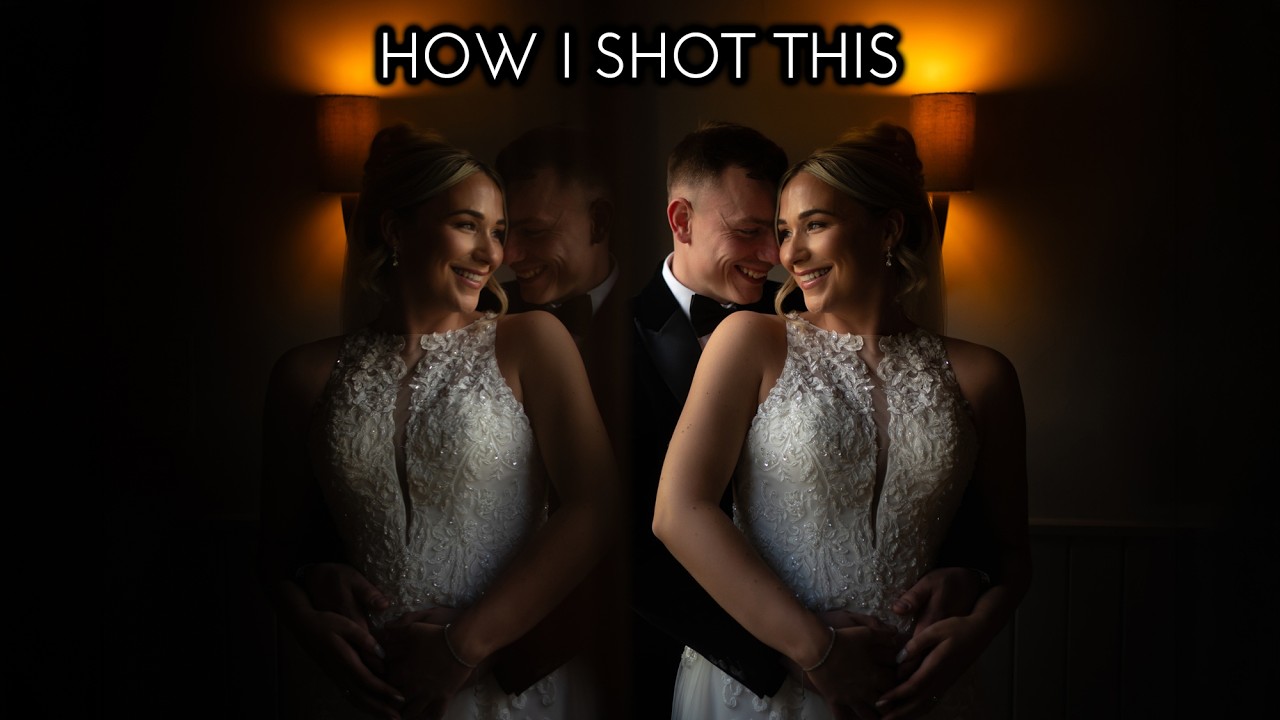
In this video I take you behind the scenes on a real wedding day to show you how I create natural light portraits using window light. I love to take natural window light photographs like these because not only can we use the light to shape the couple using short lighting, resulting in beautiful portraits, but they are also easy to take as well. All you really need is an understanding of how to pose your couple to make the most of the natural light.
All the photographs in this video were taken with my Sony A9II camera with my Sony FE 35mm f1.8 lens.
As well as the behind the scenes, I also include a full editing tutorial, using both Lightroom and Reblum, to show exactly how I edited the photographs in this video.
Reblum is portrait retouching software which is not only very effective and easy to use, but it also offers excellent value for money, because with Reblum you don’t pay per image edited, you can process as many images as you like.
It also doesn’t require an internet connection and works as a standalone app or integrates with Lightroom and Photoshop.
A huge thank you to Reblum for sponsoring this video and to Natalie and Kaine and Helen Williams Photography for inviting me to photograph their wedding.
/////
For more details about my work, please visit my website or follow me on Instagram:
Website:
Instagram:
Comments
10 responses to “HOW I SHOT THIS | Window Light Portraits + Lightroom Editing Tutorial”
Save 40% off a lifetime licence for Reblum by using the link in the description BEFORE 6th September 2026! ⏰
Great Video as always!
What kind of mirror? Does it matter what kind I get? Dimensions? Looks like a fun gimmick. You never get down to the Tone or RBG Curve? Everyone promises it gives "maximum control."
Hey Neil, another awesome video—you always deliver. I understand why you edit without using your presets, but it might be worth showing a few edits with them as well. They’re incredibly powerful and genuinely enjoyable to use.
I think many people may not realize what your preset package actually includes. They may assume it’s like any other preset that applies a single look with one click, but that’s definitely not the case. It’s much more versatile and detailed than that, and people who haven’t tried it may not realize what they’re missing.
Just saying 😉
Thank you ! I enjoyed the video very much !
Awwww! Natalie and Kaine were absolute babes! Loved seeing the BTS! 😍
💥👍💥 📸
Great video excellent content beautiful images 👍⭐️
Thanks, Mr. Redfern!
The timing is perfect! My trial version had expired, and I was on the fence… I use Capture One, which already has a skin retouching tool, but REBLUM is more precise. It’s more precise than Portraiture, too… I’m switching to REBLUM now with a lifetime license!
Perfect!!! 😊 Greetings from France
NeilRedfern makes videos with useful content. But please ditch the background music.