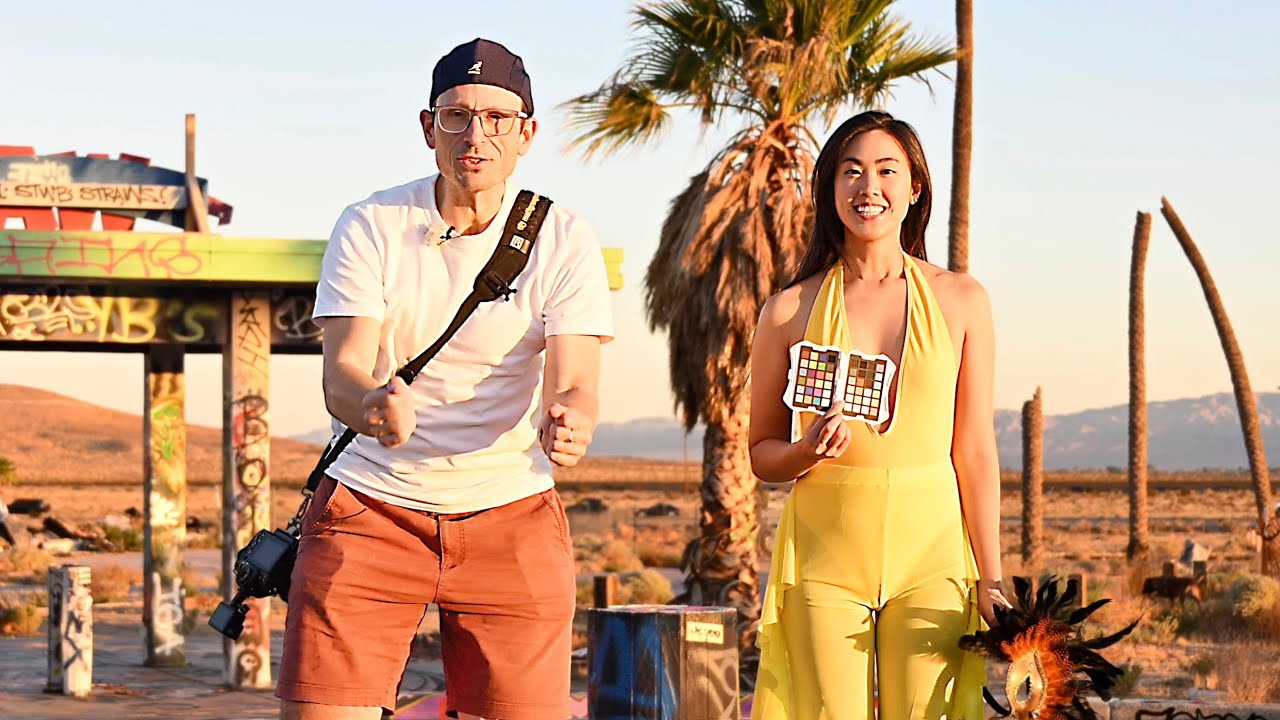
Join Steph and I for a huge series of Portrait shoots on the road! 18tb of data, dozens of shoots, looks and concepts, using a portable monitor and color calibration for a fully color calibrated workflow on the road!
DISPLAY – Use code PORTRAIT10 for 10% off!
espresso Displays:
espresso 17 Pro:
Stylus:
CALIBRATION
Why Calibrate:
Datacolor SpyderPro:
Datacolor Spyder Checkr Photo:
espresso Displays are new to the market and have a couple of different models available. I was using the fantastic espresso 17 Pro portable monitor and I have to say I think it is outstanding value.
Paired with the Datacolor SpyderPro and Spyder Checkr Photo, I am able to capture an editing reference point, and calibrate my laptop and external display to match, and to balance out the light in each location.
If you shoot portraits – check out REBLUM – professional grade skin retouching in seconds – get a free trial and 20% off:
PRIVACY and DISCLOSURE:
* This video was sponsored by Datacolor and Espresso Displays
* Matt Granger is a participant in the Amazon Services LLC Associates Program, an affiliate advertising program designed to provide a means for sites to earn advertising fees by advertising and linking to amazon.com
* Matt Granger is a participant in the B&H Photo Video affiliate program that provides an advertising commission if you purchase through our links.
* If you purchase something from our affiliate links will get a small commission with no extra cost to you.
* You can read my complete Ethics and Conduct statement:
TIMELINE
00:00 Welcome
00:18 INTRO
01:43 LET’S GO!
02:20 Mobile Display
03:10 Perfect Color
05:20 Sketchy Studio
06:10 Naughty & Nice
06:50 Multiple Cameras
07:20 Underwater
08:11 Loch Ness Monster
09:20 Venetian Goddess
10:57 Hotel WorkFlow
14:30 Abandoned Waterpark
15:20 Porsche Office
Comments
32 responses to “The Perfect Portrait Photography Workflow (on the go!)”
Damn. You were right down the road. I would have said hello and offered you lunch had I known you were in town. 🤷🏻♂️
I think you only need to calibrate your monitor once every few months, and do that in a dark environment. I've found that DisplayCAL is more accurate than Spyder X Pro own app, but the installation in windows is more complicated with the unsigned driver. As with Spyder Checkr calibration in Lightroom, I only use one calibration preset for outdoor shooting regardless of the time of day as the color variation is not that much different.
love the backgroud score, a very indian movie style score
Thanks for mentioning REBLUM! I checked it out but wasn’t entirely sure it’s worth it for the type of skin retouching I need. I’m using Retouch4me now, which seems to give a more natural finish for portraits in my workflow. Still, good to know about all the options out there!
18TB!! Wow. Is that due to taking 8k video or just soooo many pics? Can’t wait to see what you’ve done.
Steph is giving me major Phoebe Cates vibes; it's probably the smile. Cool video and great locations.
Great video, thanks Matt 🙂👍
Love the Porsche Office studio setup! 🚀🚀🚀
Thanks Matt. Do you think calibration is needed if you’re not printing? It may look good on monitor , but if the people viewing haven’t calibrated their monitor….
Amazing video! 😍
Not the naughty room in the sketchy part of town. 😂🤣
How did Steph like driving the Porsche
Great photos and I really liked the video 👍!!
wow, you lost so much weight. Hope it's due to exercise and diet and not due to ill health.
How about a workshop in San francisco ???
I am looking forward to the Pool shots, that set up looked terrific (challenging, but terrific), followed probably by the naughty but nice contra shots
what an awesome looking trip……………..sooooo much content, that's a lot of work to do back home on creating the videos, tutorials, courses, but it looks like you have some fantastic material to work with 👍👏👏👏 Congrats to you and Steph 🤩📷 Oh and love that you grabbed the Porsche as your hire car 😎
Maybe there's a video in dealing with 18TB of data shot in a month. Thats a frightful amount of video or pictures to be flinging around. On displays I had a Apple Studio Display for 18 months then it blew up. When I had it the joy of the display was how it represented what was on screen. I really miss the Studio Display but I can't go back to having one considering how catastrophic the failure was when it failed.
You do great work Matt and dont worry mate you aged well. Been following you from the beginning.
I love the work you do with Steph. I really hope one day you’ll make a physical photo book with all your collaborations with her
Stef does get to travel a lot.
Depressing how much you have aged over the years? YAH! And, you better be glad you are.
Michael 82. Ok, back to the video.
You too are too cool 😏Great video as always.
What a great trip video. I really enjoyed seeing how you and Steph work together on the road, I look forward to more of these in the future. What was Espresso branded item underneath the monitor? Any partnership link to Amazon for the Datacolor SpyderPro?
Is the Data color Spyder pro really necessary when using Mac monitors? I purchased one many years go and not used one since getting Mac 27in Monitors or computers. I shoot many sporting events with my nikon gear and not found the need to calibrate my computers or monitors!
How did you manage to back up and keep safe 18TB of data while on the road? Thats a job in its own right!
Nice video, thanks for the useful content and beautiful photos. Steph is really wonderful ❤️
Hi Matt, I'm glad you and Steph had a successful trip to the U.S. But after the nice
content, I was left wondering, is the espresso display an Australian company?
Wow… You guys are amazing.
I need that T-Shirt
that legend guy
Which was your favorite shoot with Steph?
GEAR USED
espresso Displays: https://geni.us/espressoDisplay – Use code PORTRAIT10 for 10% off!
espresso 17 Pro: https://geni.us/17Pro
Datacolor SpyderPro: https://geni.us/SpyderPro
Datacolor Spyder Checkr Photo: https://geni.us/SpyderCheckrPhoto